Updated November 2026
Snagit just got more expensive to own and, at the same time, cheaper to rent: TechSmith ended perpetual licensing in 2025 and moved the whole product to an annual subscription, while also adding its first AI features. If you’re comparing Snagit alternatives in 2026, the decision isn’t just “screenshot tool vs. screenshot tool” anymore. It’s whether you need a better screen capture utility, or whether your team actually needs AI video personalization that a screenshot tool, AI-powered or not, was never built to do. This guide compares seven Snagit alternatives, including what’s genuinely changed at Snagit itself, so you pick based on 2026 facts instead of a 2022 feature list.
Key Takeaways
- Snagit is now subscription-only. TechSmith ended perpetual licenses with Snagit 2025, and the current list price is $39/year for an individual license and $48/year for Business, down from the old ~$63/year perpetual-upgrade pricing but with no buy-once option left.
- Snagit added AI in 2025-2026: Screentelligence, Smart Redact, and Step Capture. It’s single-asset AI that edits or redacts one screenshot or recording, so it still can’t generate a different, personalized version of a video for each recipient.
- CleanShot X remains the strongest native Mac pick and shipped Studio Mode, a built-in AI-assisted video editor with smart zooms and cursor smoothing, in September 2026.
- For B2B sales teams, one tool on this list is built for personalization at scale: AI voice cloning and dynamic backgrounds turn one recording into a unique video per prospect, something no screen-capture tool does.
- Free options are still genuinely free: ShareX (Windows, over 30 upload destinations) and Greenshot (lightweight, open-source) cost nothing and remain actively maintained in 2026.
Quick Comparison: 7 Snagit Alternatives at a Glance
The right Snagit alternative depends on whether you need basic screenshots, Mac-native capture, or AI-personalized video for sales outreach. Scan the table below for your category, then jump to the full write-up for the details that matter to your workflow.
| Tool | Best For | Starting Price | Platform | AI Features |
|---|---|---|---|---|
| Sendspark | AI-personalized video sales outreach | From $49/mo | Mac & Windows | Voice cloning, background personalization, personalized thumbnails |
| CleanShot X | Mac power users & native experience | $35 one-time / $12/mo Pro | Mac only | Studio Mode (AI-assisted zooms/trims) |
| Nimbus (FuseBase) | Budget screenshots & note-taking | Free (Basic) / ~$8/mo Pro | Mac & Windows | None (screenshot tool) |
| Droplr | SaaS teams needing quick sharing | From $6/mo | Mac & Windows | None |
| Zight (CloudApp) | Cloud-first capture & instant sharing | From $10/mo | Mac & Windows | Smart Actions (AI transcripts, add-on) |
| Greenshot | Free screenshots (Windows focus) | Free / $2 one-time Mac | Mac & Windows | None |
| ShareX | Free, feature-rich screen capture | Free | Windows only | None |
What Is Snagit and Where Does It Fall Short?
Snagit is TechSmith’s paid screenshot and screen recording tool, now sold as a $39/year subscription with no perpetual-license option, that excels at scrolling captures and image annotation but still lacks native personalization or CRM integration for sales teams. As of early 2025, TechSmith ended perpetual licensing for Snagit entirely, so you can no longer buy a version outright and keep it forever. Existing perpetual-license holders keep their old version, but anyone upgrading or buying new only gets the subscription.
Snagit’s video recorder has always been its weak point. Basic trimming, no cloud hosting by default, and no personalization mean every video needs to be re-recorded for every recipient. For a sales rep sending dozens of videos a week, that’s dozens of individual recordings, not a scalable workflow, AI features or not. The tools below address these gaps in different ways.
Common mistake
Assuming Snagit’s old $63/year pricing and “no AI” reputation still apply in 2026. It’s now a cheaper $39/year subscription with real, if narrow, AI features. The real comparison isn’t about price or AI anymore; it’s about what the AI actually does.
AI Personalization: Why Snagit Still Falls Short for Sales Teams
Snagit’s 2025-2026 AI additions improve editing a single screenshot or recording, not generating personalized video at scale, so it still can’t do what B2B sales teams actually need: one recording that becomes a different, individually personalized video for every prospect. That distinction, not feature count, is what separates a screen-capture tool from a true AI video personalization platform.
Today’s sales teams need personalized experiences without recording every video from scratch. Platforms built for this let you record one master video and automatically generate thousands of unique versions, each tailored to a specific prospect with their name, company logo, or relevant data woven into the video and thumbnail. That’s one-to-many personalization at scale, something no screen recorder, including Snagit’s new AI tools, can do.
“Updated Snagit to use Microsoft Optical Character Recognition as the default OCR engine for improved performance and security.”
— TechSmith, Snagit Windows 2026 Version History
That kind of update is genuinely useful for cleaning up a single screenshot before you share it. It’s also a completely different capability from AI voice cloning that lets one video become many individually personalized ones. Snagit lacks any form of recipient-level personalization. If you want to personalize a video for dozens of prospects using Snagit, you’d still have to record each one separately.
Screen Capture Tools Got AI in 2026, But None of Them Personalize at Scale
Every major screen-capture tool shipped an AI feature between 2025 and 2026: Snagit’s Screentelligence and Smart Redact, CleanShot X’s Studio Mode, Zight’s Smart Actions. But all of it is single-asset AI that edits, redacts, or summarizes one existing screenshot or recording. None of it multiplies one video into many personalized versions, which is a structurally different problem than cleaning up a single capture.
TechSmith’s Snagit 2025 release (February 2025) introduced three on-device AI features alongside the subscription-only pricing change: Screentelligence for layout and editing suggestions, Smart Redact for automatically obscuring sensitive data like credit card numbers before you share a screenshot, and Step Capture for turning a sequence of clicks into a structured how-to guide. TechSmith continued iterating through 2026, most recently switching Snagit’s default OCR engine to improve text recognition inside images.
CleanShot X followed in September 2026 with Studio Mode, a built-in video editor that adds AI-assisted smart zooms tracking your cursor, cursor smoothing, motion blur, and background styling to a recording after the fact. Zight added Smart Actions, which is automatic transcripts, summaries, and searchable video metadata, though as paid add-ons on top of its base plans rather than included features.
Advanced strategy
When evaluating any “AI-powered” screen capture tool in 2026, ask one question: does the AI change what happens to one recording, or does it generate many different recordings automatically? Editing AI (Snagit, CleanShot X) answers the first. A cloned voice and personalized backgrounds, the mechanism behind personalization at scale, answer the second, and that’s the capability sales outreach actually needs.
#1 Sendspark: Best for AI-Personalized Video Sales Outreach
Sendspark is the AI video personalization platform for B2B sales, not a screen recorder with AI bolted on, and its core value is letting you record one video that gets personalized for every single prospect without you recording again. That’s the structural difference from every other tool on this list, AI features included.
Its AI-generated voice capture replicates your voice, tone, and delivery style, then auto-generates personalized versions where each prospect hears their own name spoken in your voice. Combined with automatically matched video backgrounds (set to the prospect’s website or company imagery) and personalized thumbnails, every video arrives feeling tailor-made, at a scale no amount of screenshot-editing AI can reach.
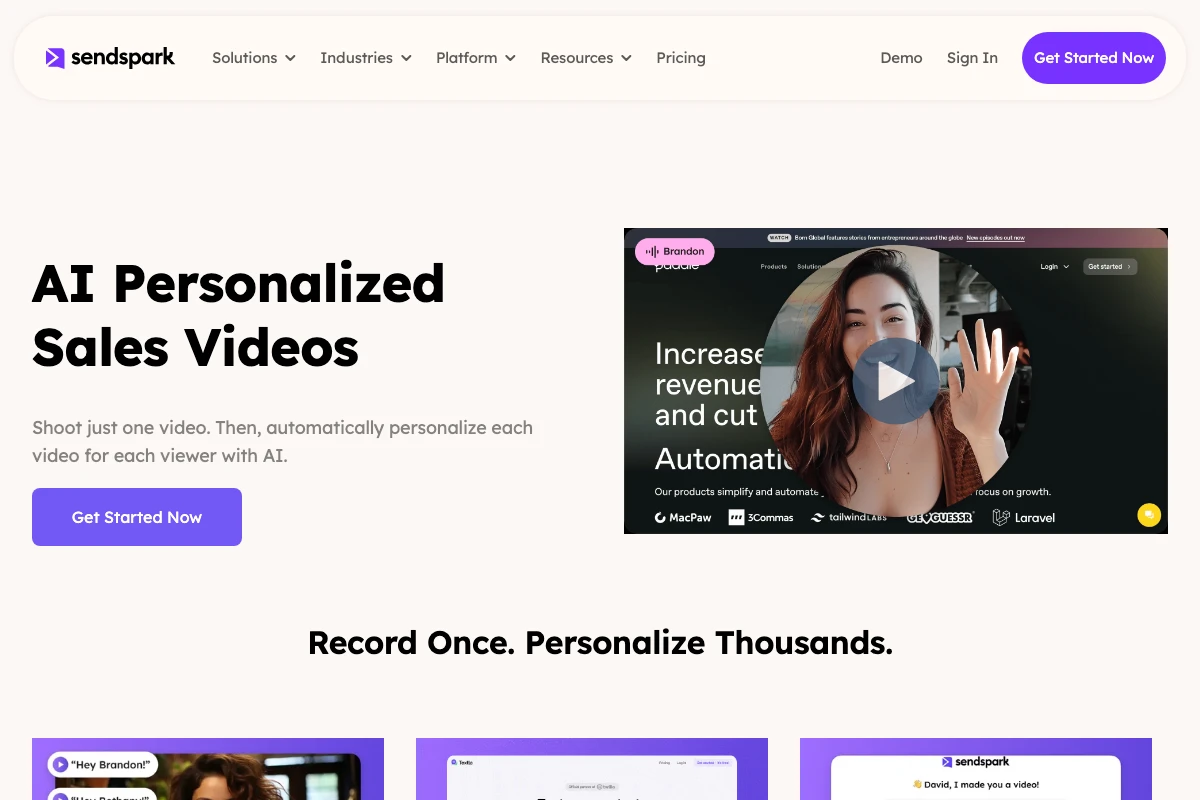
Sales teams choose it over Snagit because it solves the scale problem, not the editing problem. You get cloud hosting for easy sharing, video personalization at scale, and video analytics to track who watched, how long, and what they clicked. It integrates with 50+ sales tools, including HubSpot, Outreach, Apollo, Salesforce, Gmail, and LinkedIn, so video data flows directly into your CRM. For a hands-on look at building a campaign, the walkthrough below covers setting up a first dynamic video campaign end to end.
Comparing it to Snagit on screenshot or editing features misses the point: this platform doesn’t do screenshots, and it isn’t trying to be a better screen-capture tool. Its strength is generating personalized video at scale for sales prospecting, a capability no screen recorder, AI-powered or otherwise, offers.
Key features:
- AI-cloned voice — record once, personalize for every prospect
- Automatically matched video backgrounds per prospect
- Personalized thumbnails with prospect name/company
- 50+ CRM and sales tool integrations (HubSpot, Outreach, Apollo, Salesforce)
- Video analytics: watch time, clicks, engagement
- Screen recorder plus webcam, Chrome extension, desktop app
- Cloud hosting and shareable links
Pricing: Solo from $49/mo ($39/mo billed annually), Growth from $99/mo, Team from $299/mo, Business and Enterprise plans available. See the full pricing breakdown; every plan starts with a 7-day free trial.
For B2B sales teams running LinkedIn video prospecting or email outreach, this platform is in a different category from everything else on this list.
#2 CleanShot X: Best Snagit Alternative for Mac
CleanShot X is the best Snagit alternative for Mac users who want a native macOS experience, and its September 2026 Studio Mode update adds a genuine AI-assisted video editor on top of its existing screenshot and scrolling-capture tools. If you’re on Apple hardware and want something built for macOS rather than a cross-platform port, CleanShot X is the clear choice.
CleanShot X handles screenshots, GIFs, and screen recordings from a single menu-bar interface. Its scrolling capture rivals Snagit’s for full web pages or documents, and window capture mode intelligently isolates specific application windows. The September 2026 release added Studio Mode, which turns a screen recording into an editable project: smart zooms that follow your cursor, cursor smoothing, motion blur, background styling, and the ability to adjust cursor size and system audio after you’ve already recorded.
- Native macOS design, faster workflow than Snagit on Mac
- Studio Mode: AI-assisted zooms, trims, and cursor smoothing (new, Sept 2026)
- Scrolling capture (full page, window, region)
- CleanShot Cloud for instant shareable links
- Screenshot, GIF, and video recording in one tool
Pricing: $35 one-time (local features, 1GB cloud storage) or $12/month ($120/year) for CleanShot Pro with full cloud storage and branding, per the 5.0 release notes. Mac only; requires macOS 13 Ventura or later.
#3 Nimbus (Now FuseBase): Best Budget Snagit Alternative
Nimbus, the budget-friendly screenshot and note-taking tool previously called Nimbus Note, has rebranded as part of a broader push into FuseBase and a dedicated capture tool called Nimble Capture. The “Nimbus” name is fading from app stores even though the underlying screenshot functionality is still available, and it remains a solid, low-cost pick for teams that want screenshots and basic recording inside a shared workspace.
The current FuseBase/Nimble Capture lineup offers full-page screenshot capture, selected-area capture, basic screen recording, and annotation tools, plus the team collaboration features (shared workspaces, version history, real-time commenting) that made the original Nimbus useful for small teams managing visual assets together.
The limitations: uploads are capped on the free and budget tiers, unlike Snagit which is only limited by your device storage, and there’s no AI-personalized video for sales outreach. If you’re searching for “Nimbus screenshot” in 2026 and can’t find it, look for FuseBase or Nimble Capture instead: same company, new branding.
- Full-page and selected-area screenshot capture
- Basic screen recording
- Team workspaces and collaboration
- Cloud storage with shareable links
Pricing: Free (Basic) tier available; Pro from approximately $8/month. Available for Mac, Windows, and browser extension.
#4 Droplr: Best SaaS Screenshot Option
Droplr is a fast, clean SaaS capture tool focused on speed of sharing rather than deep editing, and remains an actively maintained, independent product in 2026 (not to be confused with the unrelated hardware marketplace Drop, which shut down its storefront this year). If your workflow is grab-and-share with no manual uploads, Droplr handles that better than Snagit.
Every Droplr capture automatically uploads to the cloud and copies a short link to your clipboard. Its “Boards” feature lets teams organize visual content collaboratively, functioning more like a visual project board than a basic file folder, which is useful for bug reports, design reviews, or quick feedback loops.
The trade-offs: basic analytics are included, but advanced analytics cost extra, and like most tools here, Droplr has no personalization-at-scale capabilities. There’s no free-forever tier, only a trial period. See our detailed Droplr alternatives guide if you’re still comparing options.
- Instant screenshot, screen recording, and GIF capture
- Automatic cloud upload with shareable links
- Boards for visual content organization
Pricing: From approximately $6/month. No free-forever tier.
#5 Zight (Formerly CloudApp): Best Cloud-First Option
Zight, formerly CloudApp before its 2023 rebrand, is a cloud-first screen recording and screenshot tool that added AI transcripts and summaries as a 2026 paid add-on called Smart Actions, on top of its existing instant-sharing workflow. If everything you capture needs a shareable link the moment you finish, Zight delivers that out of the box better than Snagit.
Zight provides HD screen recording, unlimited cloud storage, annotation tools, and GIF creation, with a shareable link automatically copied to your clipboard before you’ve finished annotating. Smart Actions now layers automatic transcripts, summaries, and searchable metadata on top, though it’s billed separately from the base plan rather than bundled in. Explore our CloudApp/Zight alternatives guide for more context.
- HD screen recording and unlimited cloud storage
- Smart Actions: AI transcripts and summaries (2026, paid add-on)
- Instant shareable links (auto-copied to clipboard)
- Integrations with Slack, Jira, Asana, and more
Pricing: From approximately $10/month for the base plan; Smart Actions AI features are an additional cost.
#6 Greenshot: Best Free Open-Source Option
Greenshot is the best free Snagit alternative for Windows users who only need screenshots and basic annotations, and it’s still actively maintained in 2026 with regular security updates, even though its pace is slower than more actively developed rivals. It’s open-source, extremely lightweight, and gets out of your way quickly.
Greenshot captures a selected region, window, or full screen with customizable keyboard shortcuts, plus a built-in editor for arrows, text, highlights, and redaction. For pure screenshot-and-annotate workflows with zero cost, it’s hard to beat.
The limitations are real: Greenshot has no video recording capability and no cloud hosting by default. Mac users can get it for a $2 one-time fee, though CleanShot X is generally the better Mac choice.
- Screenshot capture (region, window, full screen)
- Built-in image editor: arrows, text, highlights, blur
- Lightweight, free, and open-source for Windows
Pricing: Free (Windows); about $2 one-time (Mac)
#7 ShareX: Best Free Feature-Rich Option for Windows
ShareX is the most powerful free screen capture tool for Windows, with over 17 years of active development and a version released as recently as July 2026, and it remains completely free with no catch. If you want Snagit-level workflow features without paying anything, ShareX is the answer.
ShareX goes well beyond basic screenshots: scrolling capture, screen recording, GIF creation, video recording with configurable quality, and over 30 upload destinations (Imgur, Google Drive, Dropbox, and more). The built-in editor handles annotations, shapes, text, and pixelation, and hotkey customization lets power users map complex workflows to single keystrokes.
The limitations: ShareX is Windows-only, the interface favors function over polish, and it’s not built for AI-personalized video outreach. For Windows users wanting free, actively maintained screen recording and capture that rivals paid alternatives, ShareX wins outright.
- Screenshot, screen recording, GIF, and video capture
- 30+ upload destinations (Imgur, Google Drive, Dropbox, etc.)
- Hotkey customization for complex workflows
- Free and open-source, actively developed in 2026
Pricing: Free. Windows only.
Which Snagit Alternative Should You Choose?
The right Snagit alternative depends on what you need it to do, not on which tool has the most AI buzzwords. If your goal is video outreach personalization at scale, no screen-capture tool will serve you, AI-powered or not; you need a dedicated personalization platform. If you need screenshots and lightweight recording, your platform and budget decide the winner.
| Your Situation | Best Pick | Why |
|---|---|---|
| B2B sales team doing video outreach | Sendspark | Cloned voice, custom thumbnails, and CRM integration scale what no screen recorder can |
| Mac power user needing a Snagit replacement | CleanShot X | Native macOS design, Studio Mode video editing, CleanShot Cloud |
| Budget-conscious user (any platform) | FuseBase (Nimbus) or Greenshot | Free-forever tiers for basic screenshots and simple recording |
| Windows power user wanting free + full features | ShareX | Free, open-source, 30+ upload destinations, actively maintained in 2026 |
| SaaS/product team needing instant cloud sharing | Droplr or Zight | Automatic cloud upload and shareable links, no manual Snagit-style file handling |
| Team already paying for Snagit’s new AI tools | Keep Snagit for editing, add a personalization platform for outreach | Screentelligence and Smart Redact solve editing; neither solves personalization at scale |
One important distinction holds true even after Snagit’s 2026 changes: this is not a Snagit competitor in the traditional sense. Snagit, now with AI editing built in, still solves screenshot capture; the personalization platform above solves video outreach at scale. Many sales teams run both side by side: one for the two different jobs.
Frequently Asked Questions
What is the best free Snagit alternative for Mac?
The best free Snagit alternative for Mac is Greenshot (available for about $2 one-time on Mac) or the built-in macOS Screenshot tool. For a low-cost paid option, CleanShot X ($35 one-time) is the clear winner on Mac, with a native experience and, as of September 2026, a built-in video editor that Snagit’s subscription still doesn’t match on Mac-native polish.
Is CleanShot X better than Snagit for Mac?
For Mac-only users, CleanShot X is generally the better choice. It’s native to macOS, offers a faster menu-bar workflow, includes scrolling capture and Studio Mode video editing, and its $35 one-time option still beats Snagit’s forced $39/year subscription if you don’t need yearly updates. Snagit still has deeper OCR and redaction tools, which most Mac users don’t need.
Does Snagit have AI features now?
Yes. Since the Snagit 2025 release, TechSmith has added Screentelligence (layout and editing suggestions), Smart Redact (automatic redaction of sensitive data), and Step Capture (auto-generated step-by-step guides), with further OCR improvements through 2026. All of it runs on-device and edits a single screenshot or recording; none of it personalizes a video differently for each recipient.
What do B2B sales teams use instead of Snagit?
B2B sales teams are increasingly switching from Snagit to AI-personalized video platforms. Snagit’s recordings, even with its new editing AI, still require individually re-recording for each prospect, which doesn’t scale for video outreach. These platforms let sales teams record one video and auto-generate personalized versions with a cloned voice and matched backgrounds instead.
Does Sendspark replace Snagit?
Sendspark replaces Snagit specifically for video outreach and personalization, but not for screenshots or image annotation. Snagit is a screenshot-first tool with a basic video recorder and new editing AI; it’s a platform built for AI-personalized video, with a screen recorder built in. Many teams run it for sales video and a lightweight screenshot tool alongside it.
What is the cheapest Snagit alternative?
The cheapest Snagit alternatives are completely free: ShareX (Windows), Greenshot (Windows free, Mac about $2 one-time), and FuseBase’s free Nimbus-derived tier. If you need a paid tool with more features, Droplr starts at about $6/month, which is less than Snagit’s $39/year on a short-term basis.
Is ShareX a good free Snagit alternative for Windows?
Yes. ShareX is one of the best free Snagit alternatives for Windows power users, with screenshots, screen recording, GIF creation, scrolling capture, and uploads to over 30 cloud destinations, all for free and with active development as recently as mid-2026. The main trade-off is an interface that prioritizes function over design.
Record One Video. AI Personalizes Thousands.
Sendspark records your video once, then clones your voice to greet each prospect by name in front of their own website.
Get Started NowSources & References
- TechSmith Support: “TechSmith is transitioning to an annual subscription-only model, beginning with Snagit 2025” (2025)
- TechSmith Support: Snagit Windows 2026 version history, Screentelligence, Smart Redact, and OCR updates (2026)
- SnagitPro: “Snagit Individual costs US$39 per year; Business costs US$48 per user per year” (2026)
- CleanShot: CleanShot X product and pricing (2026)
- TidBITS: “CleanShot X 5.0” introduces Studio Mode screen recording, released September 4, 2026 (2026)
Topics: Insider